
Live cohort · Next batch starts 15 November 2026
Halo AI.
Master 150 AI tools in 30 days.
A live, hands-on programme taught by Kunal Arora, CEO of Webfynd Digital, who has trained 400+ students. Learn the AI tools that are changing how work gets done, and leave with skills you use the next morning.
- 150AI tools
- 30days
- 20live sessions
- 50seats per batch
Upcoming batches
₹1,06,200 ₹53,10050% offincl. 18% GST
Webfynd has worked with teams at
















Who it is for
If you work, AI is now part of your job.
Founders and business owners
Cut costs and move faster by putting AI to work across your business.
Marketers and creators
Produce content, ads and campaigns in a fraction of the time.
Working professionals
Become the person in your team who knows how to get things done with AI.
Freelancers and consultants
Offer AI services clients will pay for, and deliver them faster.
Students and career switchers
Graduate with practical AI skills employers are asking for right now.
Curriculum
Four weeks. 150 tools. One clear path.
Each week builds on the last. Below are some of the tools you will use, out of 150 across the programme.
Think and write with AI
Research, writing, prompting and personal productivity: the foundation for everything else.
- ChatGPT
- Claude
- Gemini
- Perplexity
- NotebookLM
- Microsoft Copilot
- Grammarly
- Notion AI
- Otter
- Fireflies
- and more
Create with AI
Images, design, video, voice and music for content, ads and presentations.
- Midjourney
- Adobe Firefly
- Ideogram
- Canva Magic Studio
- Leonardo
- Runway
- HeyGen
- Synthesia
- CapCut
- ElevenLabs
- Suno
- Gamma
- and more
Grow a business with AI
Marketing, SEO, social media, sales and customer support, end to end.
- Meta AI ads tools
- Google Ads AI
- Semrush
- Surfer
- Jasper
- HubSpot AI
- Apollo
- Clay
- Intercom Fin
- ManyChat
- Buffer AI
- and more
Build and automate with AI
No-code apps, automations and AI agents, then your own capstone project.
- Zapier
- Make
- n8n
- Lovable
- Bolt
- Replit
- Cursor
- Claude Code
- Airtable AI
- Custom GPTs
- and more
How it works
Live, hands-on, and small enough to get real attention.
20 live sessions
Monday to Friday, 7:30 to 9:30 pm IST. Live, interactive, with your questions answered on the spot.
Recordings of every class
Miss a session or want to rewatch? Every class is recorded and shared.
Hands-on assignments
You use every tool on real tasks, not just watch someone else use it.
Capstone project
Build a real AI workflow, app or campaign for your own work or business.
Batch of only 50
Small enough for the mentor to know your name and review your work.
Certificate of completion
From Webfynd Digital, for everyone who completes the capstone.
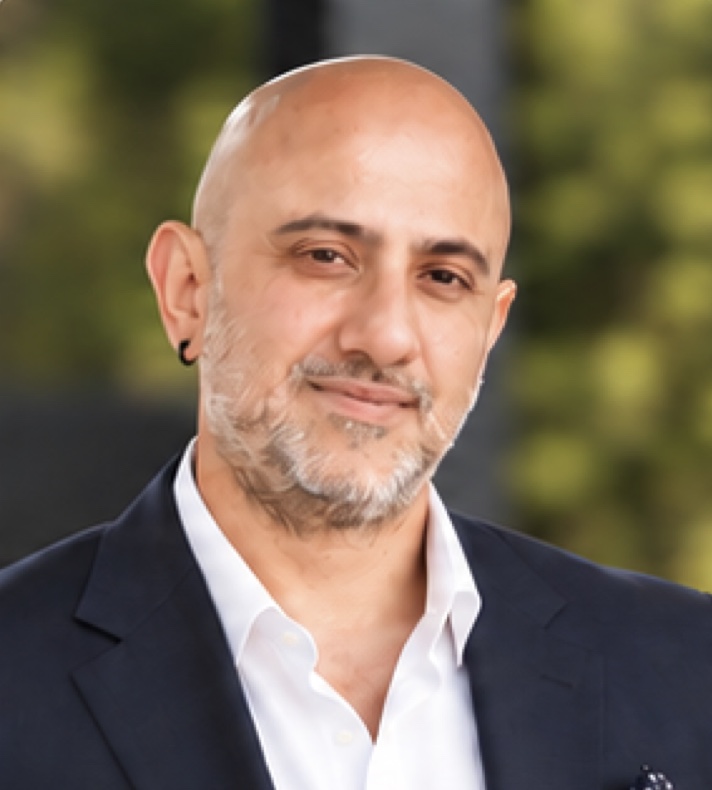
Taught by the CEO
Kunal Arora
Founder and CEO, Webfynd Digital · Teacher and mentor
Kunal is a digital entrepreneur and growth strategist with 23 years of experience in design thinking, marketing, media, technology and digital transformation.
He runs Webfynd Digital, an AI-first agency that has worked with leading automotive, lifestyle, D2C, technology and consumer brands since 2016. Halo AI teaches the same tools and workflows his team uses on client work every day.
- Mentor to 400+ students
- 23+ years in marketing and technology
- Founder since 2016
- Google Premier Partner agency
- Meta Business Partner agency
Why Halo AI
Built to be used, not just watched.
| Compare | Recorded courses | Typical executive programmes | Halo AI |
|---|---|---|---|
| Format | Recorded videos | Mostly theory and case studies | Live, hands-on, every weekday |
| Tools you actually use | A handful | Few | 150, across every part of work |
| Batch size | Thousands | Large | 50 students |
| Taught by | Instructors | Academics | A founder running an AI-first agency |
| You finish with | A certificate | A certificate | A working capstone project and a certificate |
Before you join
Laptop requirements.
All tools run in the browser or as light apps. A phone or tablet is not enough for the assignments.
Minimum
- Windows 10 or 11, or macOS 12 (Monterey) or newer
- 8 GB RAM
- Intel Core i5, AMD Ryzen 5 or Apple M1 processor
- 20 GB free disk space
- Latest Google Chrome
- Internet of 10 Mbps or faster
- Webcam, microphone and headphones
Recommended
- 16 GB RAM
- Apple M1 or newer, or a recent Core i7 or Ryzen 7
- A second screen, to follow along while you practise
- A Google account and a personal email for tool sign-ups
Not supported
- Chromebooks and ChromeOS
- Phones and tablets
- Laptops with 4 GB RAM or less
Register
Reserve your seat.
Fill in your details, choose your batch and pay securely with Razorpay. Your seat is confirmed the moment payment goes through.
Regular price₹1,06,200
50% launch discount−₹53,100
You pay, incl. 18% GST₹53,100
- 20 live sessions and every recording
- Hands-on access to 150 AI tools
- Capstone project review
- Certificate of completion
- GST invoice by email
Questions
Questions about Halo AI
Do I need to know coding?
No. Halo AI is built for non-technical people. Week 4 covers no-code tools and shows coding-assistant tools in a beginner-friendly way.
What are the class timings?
Live sessions run Monday to Friday, 7:30 to 9:30 pm IST, for four weeks. Every session is recorded.
What if I miss a class?
You get the recording and can bring your questions to the next live session.
Do I have to pay for the AI tools?
Most tools have free plans that are enough for learning. We show you the free route for each and tell you which paid plans are worth it.
What laptop do I need?
Windows 10 or 11, or macOS 12 or newer, with at least 8 GB of RAM. Full details are in the laptop requirements section above.
How many seats are there?
Each batch has 50 seats. Once a batch is full, registration for it closes automatically.
Is GST included in the fee?
Yes. You pay ₹53,100 including 18% GST, which is 50% off the regular ₹1,06,200. You get a GST invoice by email.
Only 50 seats per batch.
The next one starts 15 November 2026. Learn the tools now, use them for the rest of your career.